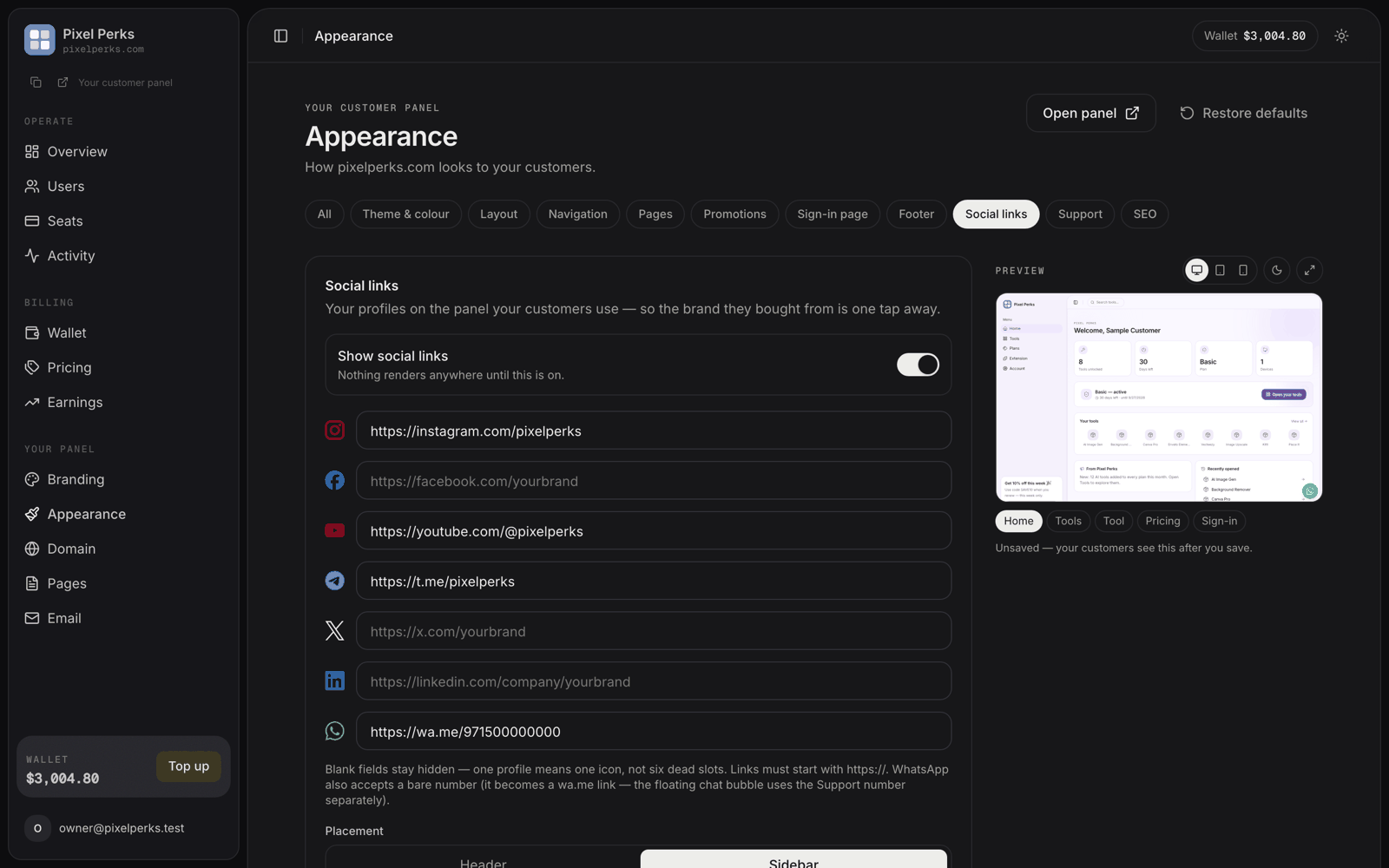
Put your Instagram, YouTube, Telegram and WhatsApp profiles on the panel your customers use.
Appearance → Social links — fill only the networks you use; the rest stay hidden.
If you sell through Instagram, Telegram or WhatsApp communities, your panel used to be a dead end — customers landed there and had no way back to your brand.Appearance → Social links puts your profiles on the panel itself.
Instagram · Facebook · YouTube · X · LinkedIn · Telegram · WhatsApp — each an optional URL field.
Blank fields render nothing. One filled profile produces one icon, never six empty slots. Fill in only what you actually use.
Rule
Detail
Links must start with https://
Anything else is dropped when you save.
WhatsApp accepts a bare number
Enter the number and it becomes a wa.me link automatically.
Links open in a new tab
Your customer does not lose the panel.
The WhatsApp social link is separate from the floating chat bubble on your customer panel. The bubble uses the number from your Support settings — changing one does not change the other.
On / Off (default) — nothing renders anywhere until this is on
Placement
Header (top bar) or Sidebar (below the user card)
Style
Icons only or Icons + labels
Colour
Brand colours (each network’s own colour) or Neutral (grey, picking up your accent on hover)
Also show on
Sign-in page and Public & legal pages — each toggled separately
Labels collapse to icons automatically on phones and in a collapsed sidebar, so Icons + labels never breaks a narrow layout. On phone-width headers, at most four icons are shown to avoid crowding.
Enabling Sign-in page shows the strip below the sign-in form — visible to logged-out visitors. Your profiles become part of your public storefront rather than something only paying customers see.
If you are running paid traffic to your panel, turn this on. Someone who is not ready to buy today can still follow you, and you keep the audience you paid for.
The live preview beside the controls updates as you type, and you can switch it between desktop, tablet and phone, and between light and dark.Nothing your customers see changes until you save — the preview is marked “Unsaved — your customers see this after you save.”