

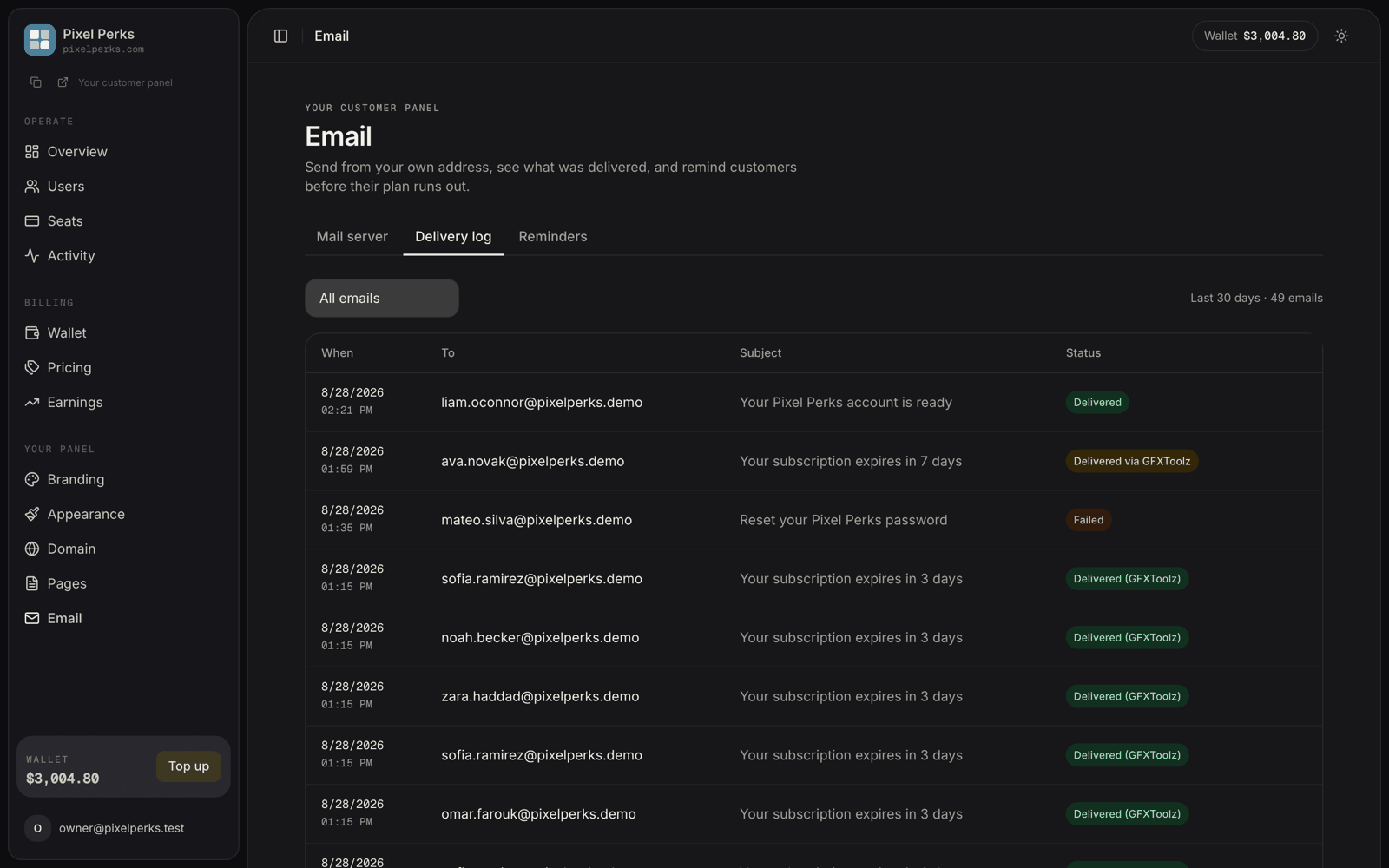
Email → Delivery log — every message your panel has sent, with its outcome.
What each row shows
Reading the status
Delivered
Sent through your own mail server. Hover to see your server’s acceptance response.
Delivered (GFXToolz)
You have no mail server configured, so we delivered it. Still fully branded as you — your name, your links.
Delivered via GFXToolz
Your mail server was tried and failed, so we delivered it anyway. Your customer noticed nothing.
Failed
The email could not be delivered at all, even by us, after automatic retries. Rare.
Resending
Rows marked Failed or Delivered via GFXToolz show a Resend action. Resending queues a fresh copy through the normal pipeline — so if you have since fixed your mail server, this one goes out through your server.Each email can be resent once. A second click reports that it has already been re-queued rather than sending twice. Very old rows cannot be resent, because the original message is cleaned up after 30 days.
Filters and retention
Filter by All emails, Delivered or Failed. The header shows the window and the count, e.g. “Last 30 days · 48 emails”. The log keeps 30 days of history and prunes itself automatically.Two things worth knowing
- The log records the final outcome of each email, not one row per retry attempt. A message that succeeded on its third try appears once, as delivered.
- Error text is always a safe, actionable category — authentication failed, connection failed, recipient rejected. Raw output from your mail server is never displayed.