

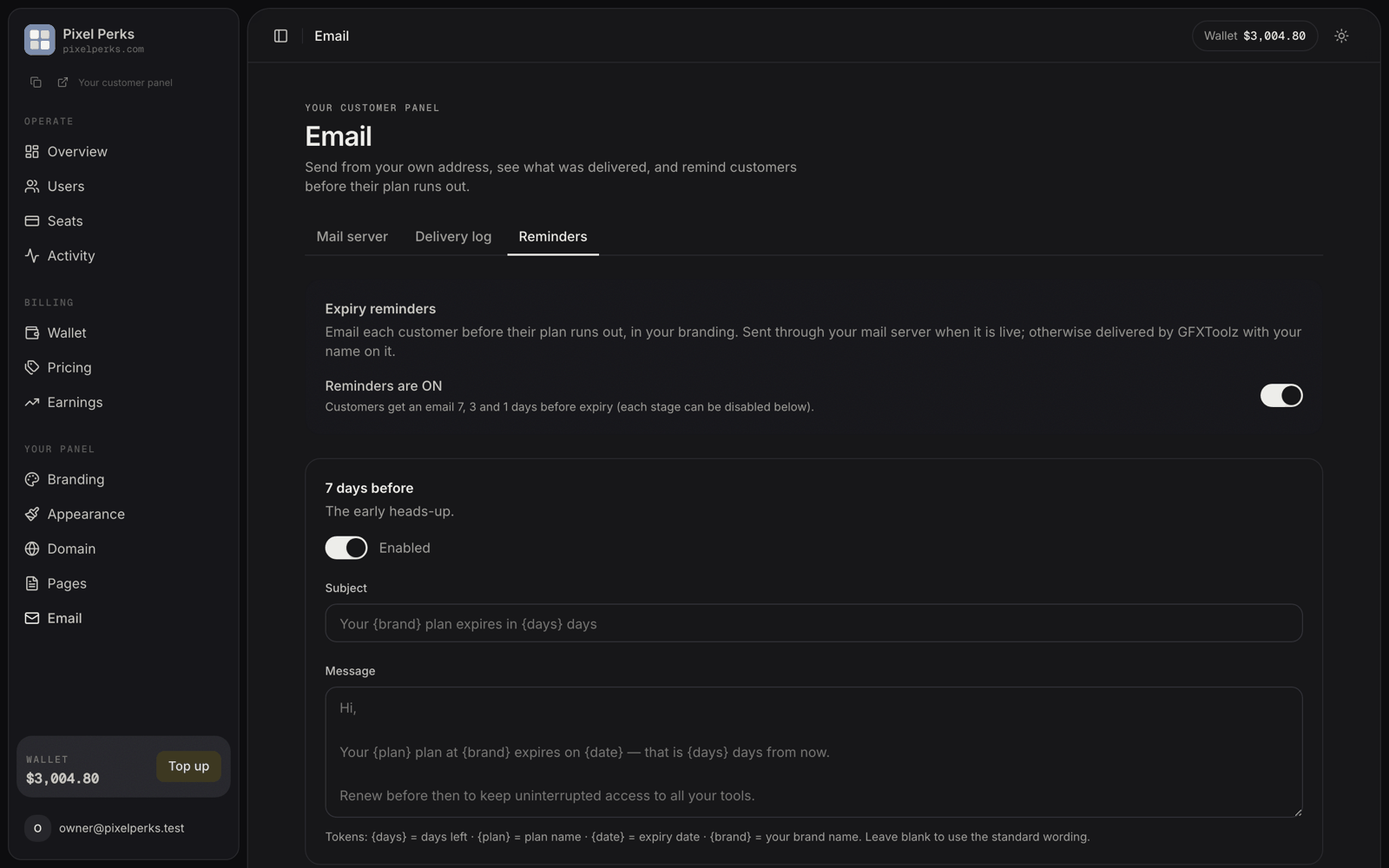
Email → Reminders — the master switch and the three reminder stages.
The controls
Personalisation tokens
Use these in either the subject or the message, and they are replaced when the email is sent.
The default 7-day subject, for example, is
Your {brand} plan expires in {days} days.
How the sending works
Once per day
The job runs daily at 09:30 IST and picks up every seat that is exactly 7, 3 or 1 days from expiry.
Never twice
Each seat gets each stage at most once per billing period, even if the job runs again.
Extending resets it
Extending a seat moves its expiry date, and the new date gets its own fresh 7 / 3 / 1 reminders.
Your brand, your server
Sent through your mail server when enabled, otherwise delivered by us with your branding — exactly like invites.
Safety of custom wording
Your wording is treated as plain text. If you paste HTML or a script into the message, your customer sees it as literal text; it is never executed in their inbox. Line breaks are preserved.The wording is set per reseller, not per customer. All your customers at a given stage receive the same message with their own plan name and dates filled in.