> ## Documentation Index
> Fetch the complete documentation index at: https://reseller-docs.gfxtoolz.ai/llms.txt
> Use this file to discover all available pages before exploring further.
# Delivery log
> Every email your panel has sent, whether it arrived, and how to resend the ones that did not.
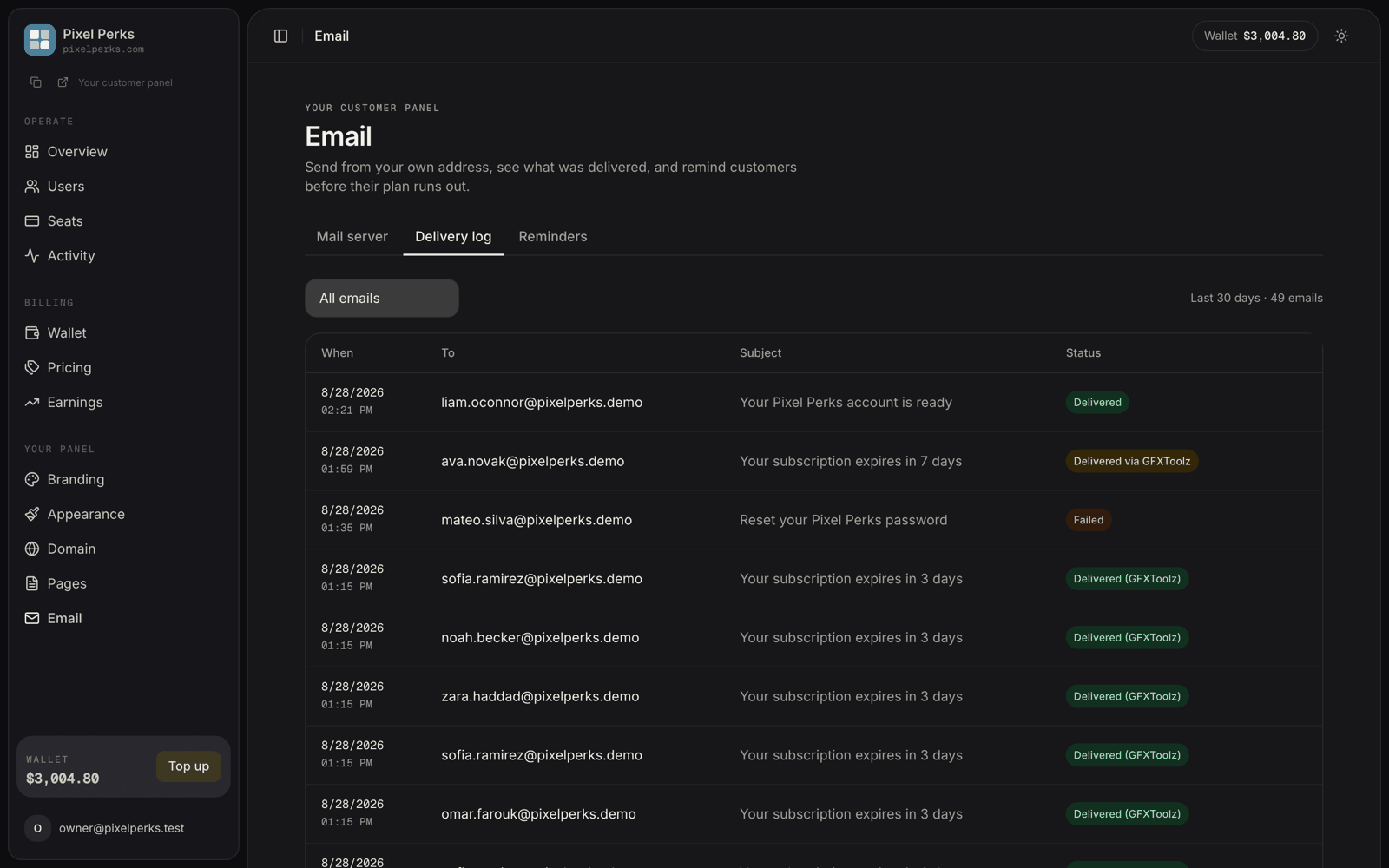
The **Email** page now has three tabs — **Mail server**, **Delivery log** and **Reminders**. This is the middle one.
Every email your panel sends to a customer leaves a record here: invites, password resets, expiry reminders and subscription notices. Before this existed, you configured SMTP and then had no way to know whether anything arrived.
## What each row shows
| Column | Detail |
| ----------- | -------------------------------- |
| **When** | Date and time of the send. |
| **To** | The customer's email address. |
| **Subject** | The subject line as it was sent. |
| **Status** | One of the four chips below. |
## Reading the status
Sent through **your own mail server**. Hover to see your server's acceptance response.
You have no mail server configured, so we delivered it. Still fully branded as you — your name, your links.
Your mail server was tried and **failed**, so we delivered it anyway. Your customer noticed nothing.
The email could not be delivered at all, even by us, after automatic retries. Rare.
An amber **Delivered via GFXToolz** row is the one to act on. Your customer got the email, so nothing is broken for them — but your mail server rejected the send. Hover the chip to see why (for example, *"Authentication failed — check the username and password"*) and fix it on the **Mail server** tab.
## Resending
Rows marked **Failed** or **Delivered via GFXToolz** show a **Resend** action.
Resending queues a fresh copy through the normal pipeline — so if you have since fixed your mail server, this one goes out through your server.
Each email can be resent **once**. A second click reports that it has already been re-queued rather than sending twice. Very old rows cannot be resent, because the original message is cleaned up after 30 days.
## Filters and retention
Filter by **All emails**, **Delivered** or **Failed**. The header shows the window and the count, e.g. *"Last 30 days · 48 emails"*.
The log keeps **30 days** of history and prunes itself automatically.
## Two things worth knowing
* The log records the **final outcome** of each email, not one row per retry attempt. A message that succeeded on its third try appears once, as delivered.
* Error text is always a safe, actionable category — authentication failed, connection failed, recipient rejected. Raw output from your mail server is never displayed.
If a customer says they never received their invite, check here first. In most cases the email was delivered and is sitting in their spam folder — which is a very different conversation from the email never having been sent.